


Licență și Înregistrare
Politica de acordare a licenței BandiView
Cum să înregistrați BandiView
Cum se rezolvă problemele la înregistrarea BandiView
Cum se rezolvă problema „Produsul a fost înregistrat pe prea multe dispozitive”.
Comparare între edițiile BandiView
Caracteristici și termeni tehnici
Tastele de scurtătură BandiView
Parametrii liniei de comandă
Thumbnail preview in File Explorer (psd, clip, ...)
Mod de vizualizare Webtoon
Gruparea fișierelor RAW și JPG într-o singură imagine
Cum se configurează ieșirea video a BandiView
Cum se exportă și importă setările BandiView
Formate de fișiere BandiView acceptate
Cum să vizualizați fișierele CLIP STUDIO PAINT (.clip) cu BandiView
Vizualizarea fișierelor PSD (.psd) cu BandiView
Cum se vizualizează fișierele SVG (.svg) cu BandiView
Vizualizarea fișierelor HEIC și HEIF cu BandiView
BandiView pentru imagini HDR
Acceptarea HDR de BandiView
Cum activați setările HDR în Windows
Fișiere eșantion pentru acceptul HDR
The Complete Guide to Ultra HDR Jpeg
BandiView Image Converter
Sharp YUV conversion for WebP images
Sugestii și trucuri
Rularea automată a unei prezentări cu BandiView
Thumbnail preview in File Explorer
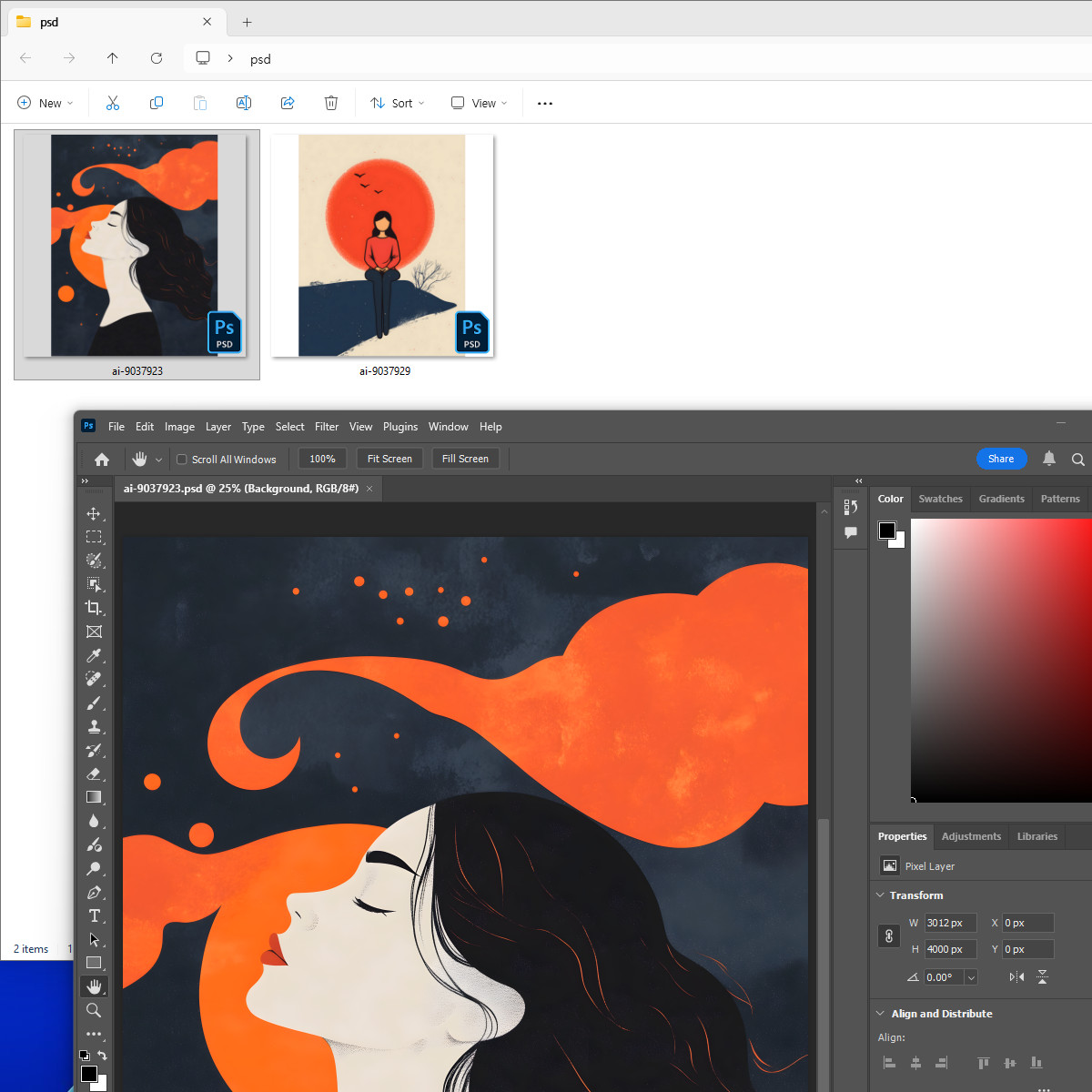
BandiView enables thumbnail previews in File Explorer for the following image formats which are not natively supported by Windows: PSD, PSB, CLIP, EXR, SVG
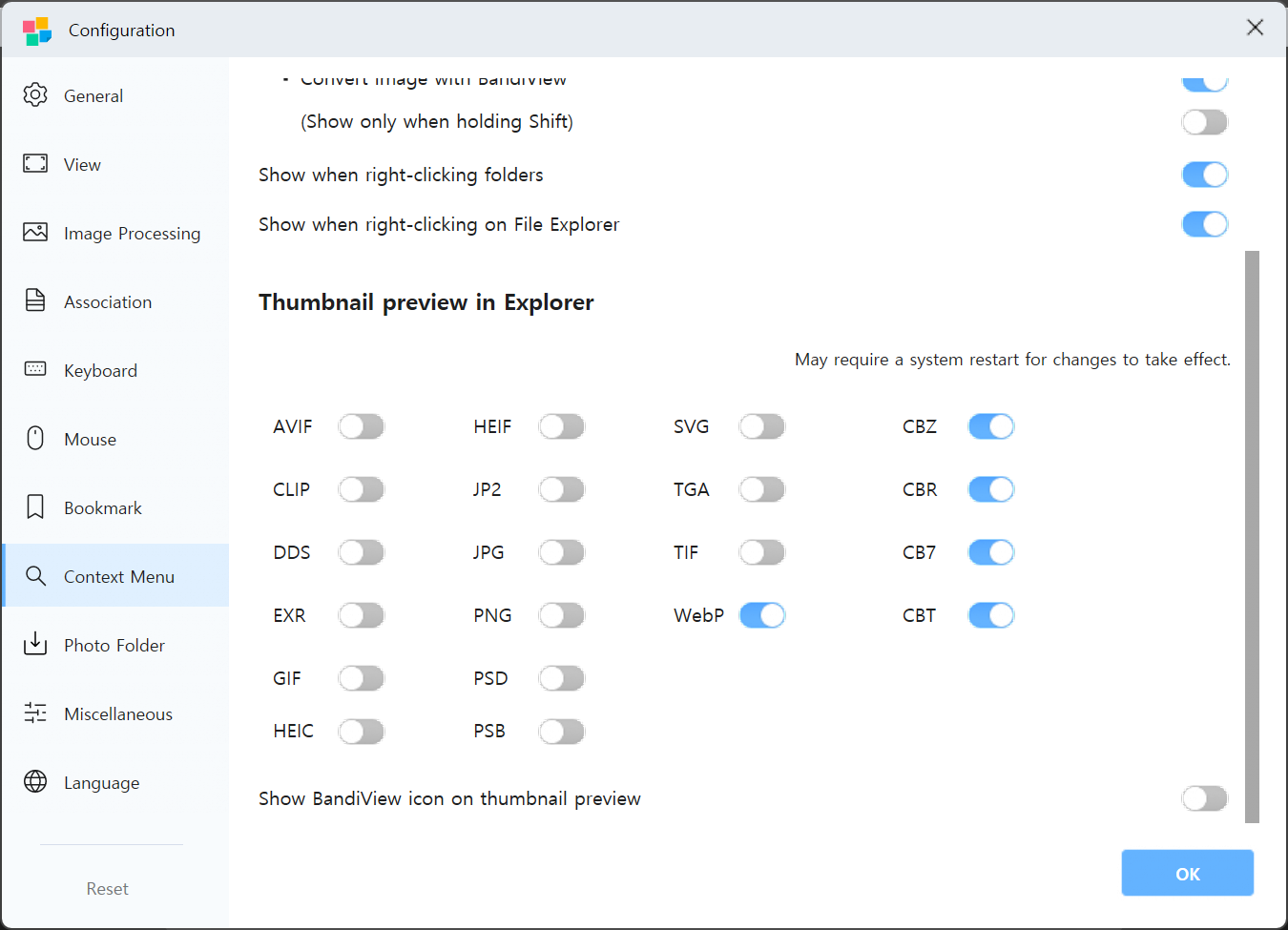
To enable this feature, go to the app's Configuration (F5) > Context Menu, and select the filename extensions for which you want to enable thumbnail support.
If thumbnails are not displayed
If thumbnail preview still do not appear in File Explorer after enabling the feature, try the following steps:
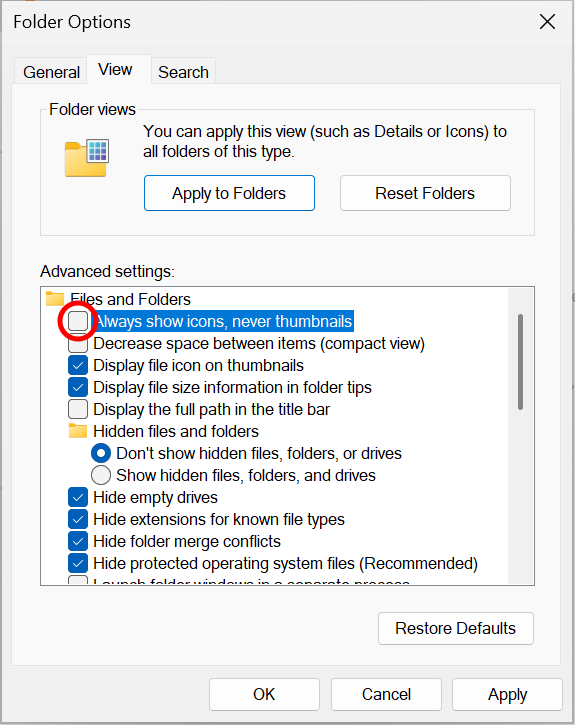
- In Folder Options of File Explorer, disable "Always show icons, never thumbnails."
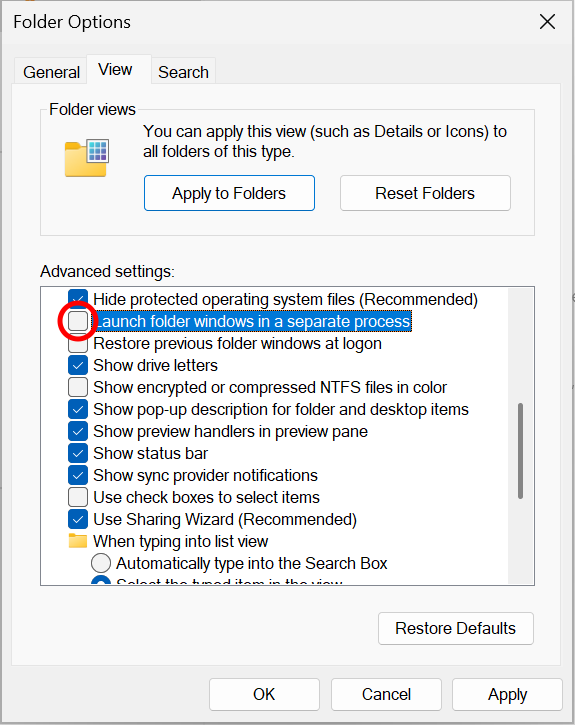
- Also in Folder Options, disable "Launch folder windows in a separate precess."
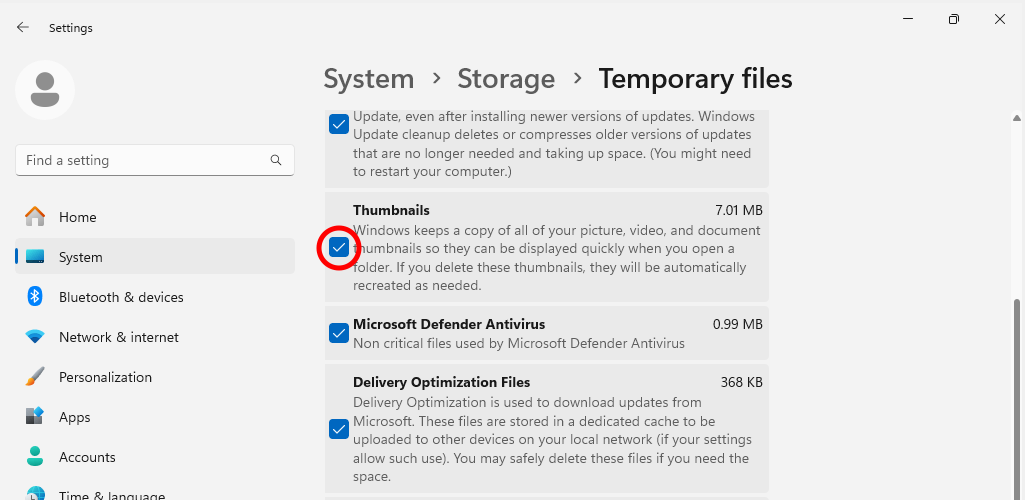
- Go to Windows Settings > System > Storage > Temporary files, and delete Thumbnails to clear the thumbnail cache.
Other things to try
If the above steps fail to fix the issues, try the following:
- Completely uninstall BandiView, restart your computer, and install BandView again.
- Thumbnails are cached in File Explorer. Make a copy of an existing image file and check whether the same issue persists with the new copy.
- If files in a cloud storage (such as Google Drive or Dropbox) is set to online-only, the thumbnails cannot be displayed. Set the folder to "Make available offline" or disable the On-demand Sync feature in the client settings.